Free online tool
Free online decision tree maker
A decision tree turns a hard choice into a series of simple questions. Start from a decision tree template with Yes and No branches, rewrite the questions for your own situation, and export it as an image or PDF.
No sign-up, no watermark. Export a PNG or PDF.
How a decision tree works
A decision tree starts with one question. Each answer sends you down a branch to the next question or to an outcome. Because every path is drawn out, you can see exactly why a decision ends where it does, and anyone else can follow the same path and reach the same answer.
Decision trees are used for everyday choices (rent or buy), for clinical and safety protocols (triage), and for business rules (does this change request need approval). The shape is the same in each case: questions as diamonds, outcomes as boxes, and labelled arrows between them.
What people use it for
- Personal choices with several factors, such as buying or renting a home
- Triage and escalation rules that staff must follow the same way every time
- Approval and change-request flows
- Support scripts that route a customer to the right answer
- Teaching logic and if-then thinking
Free templates to start from
Open any template in the editor, then change the text, colours and shapes to fit your own diagram.
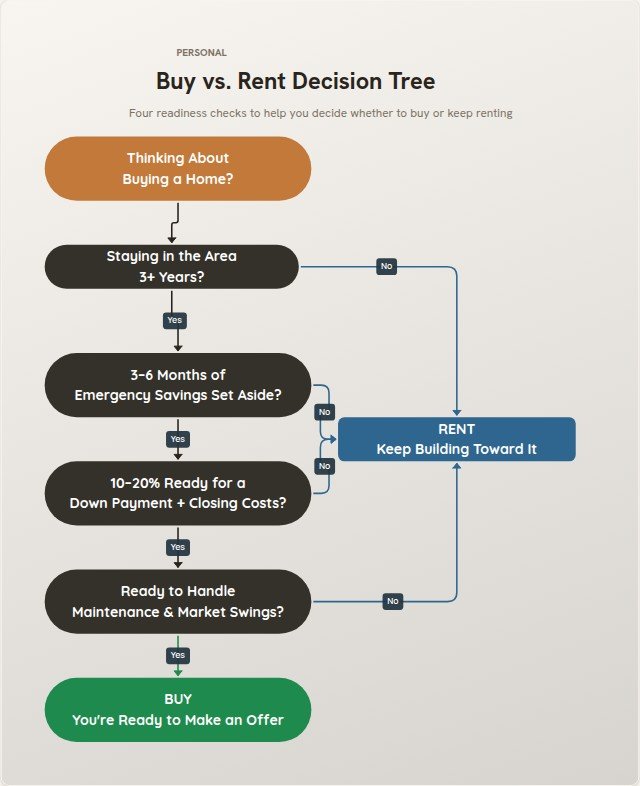 Buy vs. Rent Decision TreePersonal template
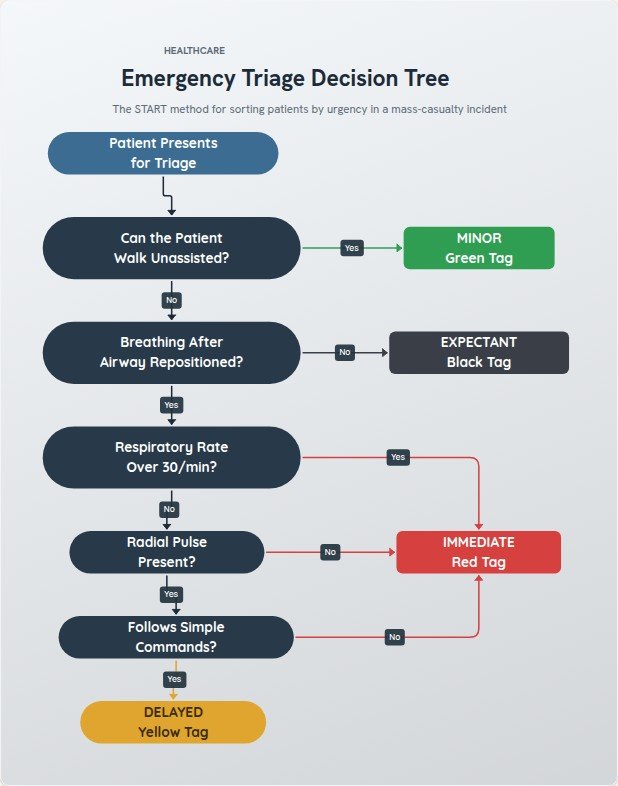 Emergency Triage Decision TreeHealthcare template
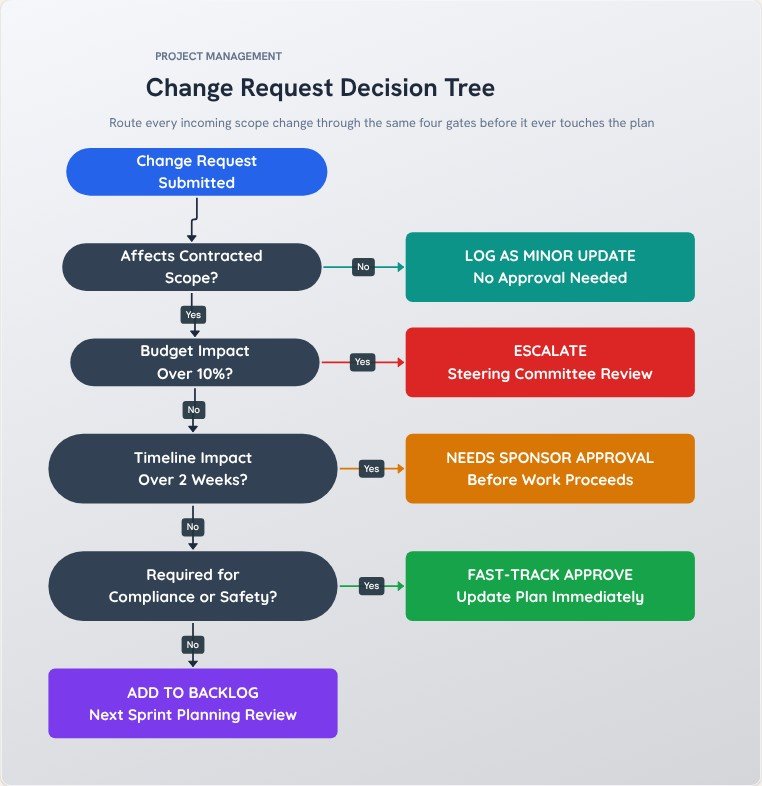 Change Request Decision TreeProject Management template
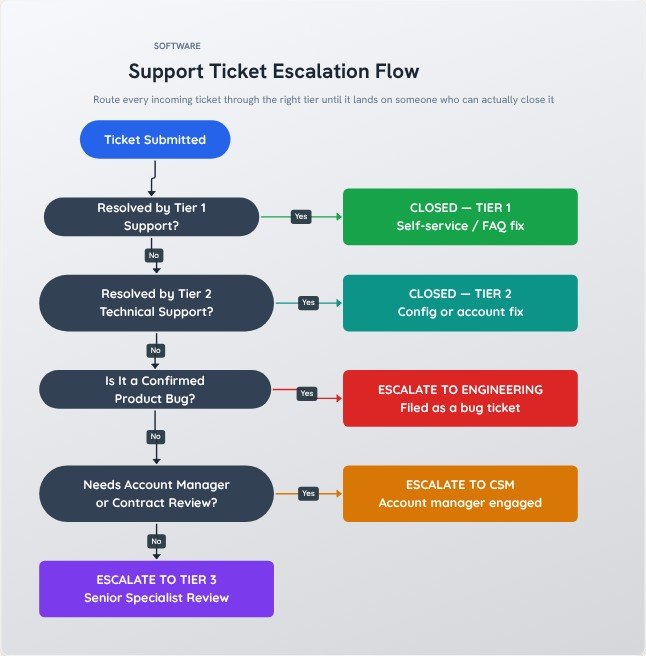 Support Ticket Escalation FlowSoftware template
How to make one in four steps
- Open a decision tree template, or start with a single Decision shape for your first question.
- Write each question so it can be answered Yes or No (or with a short choice).
- Connect each answer to the next question or to an outcome, and label the arrows with the answer.
- Check every path ends somewhere, then export a PNG or PDF.
Tips for a clearer result
- Ask the question that removes the most options first, so most people finish in two or three steps.
- Label every arrow leaving a decision. An unlabeled branch is the most common reason people misread a tree.
- Make sure every branch ends in an outcome, not in empty space.
Frequently asked questions
What is the difference between a decision tree and a flowchart?
A decision tree is a flowchart where most steps are questions and the paths branch out without looping back. A general flowchart can also show loops, parallel steps and processes with no questions at all.
Can the AI build a decision tree from a description?
Yes. Describe the question and the rules in plain language in the Text to Flowchart tool and it drafts the branches for you. You can then edit the result in the normal editor.
Do I need to sign up?
No. Open the editor and start. There is no account, and your diagram is built in your browser, so nothing is uploaded unless you use the AI text-to-flowchart tool.
Can I export it without a watermark?
Yes. Export a high-resolution PNG or a PDF with no watermark. You can pick the quality, choose a square, widescreen or vertical canvas, and export with a transparent background if you want to place the diagram on a slide.